
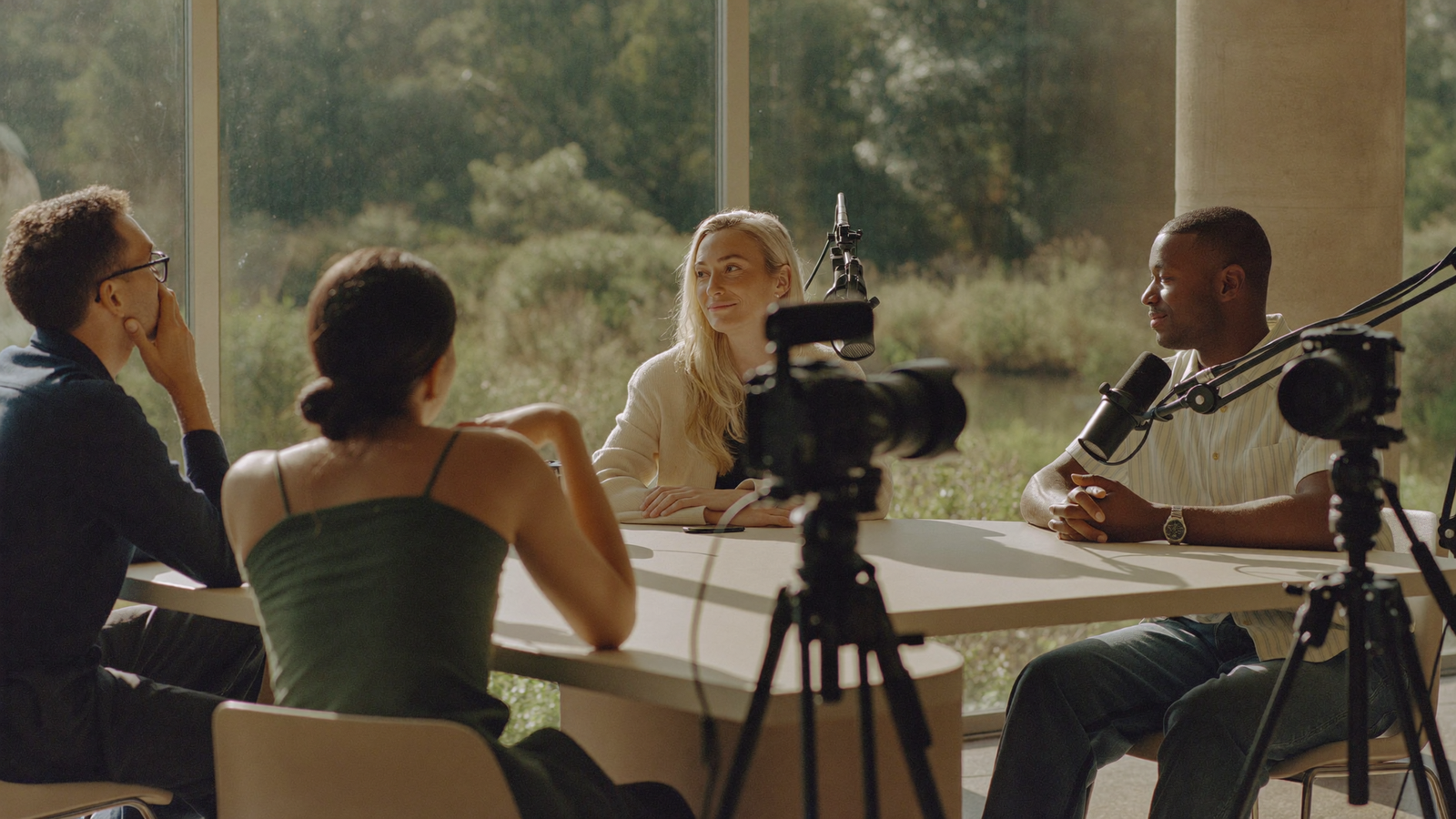
A two or three-host video podcast looks significantly more polished than a solo show, and it demands significantly more planning to produce well. The setup decisions made before the first recording determine whether the post-production is manageable or chaotic.
This is a practical guide to the physical and technical configuration that works for a multi-host business video podcast, whether you are recording in a studio, a dedicated room at your offices, or a well-controlled space.
The fundamental recording decision: in-person or remote
Before any equipment question, there is a more fundamental choice. Multi-host video podcasts can be recorded two ways: in person in a shared space, or remotely via a platform like Riverside or Squadcast.
Each approach has different implications for the final product.
In-person recording produces the most natural conversational energy and gives you genuine multicam footage: real cameras at multiple angles, capturing real eye contact and physical presence in a shared room. The challenge is coordination: all hosts need to be in the same place at the same time, which adds scheduling friction.
Remote recording is far more flexible logistically, but the output looks different. Each person is in their own space, on their own camera, in their own lighting environment. The visual result is a split-screen or gallery view rather than a genuine studio-style multicam. For many business shows, that is entirely acceptable. But it is not the same as in-person multicam, and it should not be presented as such.
Which approach is right depends on your geography, your hosts' schedules, and what the show is meant to look like. Many business teams settle on a hybrid: in-person for season launches, remote for regular episodes, with one camera handling each remote participant.
In-person multicam: what you actually need
For an in-person multi-host setup, the following equipment covers the majority of professional business video podcasts.
Cameras. Two cameras minimum, three for a tighter production. A wide shot covering the full group and a close-up per host. Most setups use mirrorless cameras with a 35mm or 50mm lens at a wide aperture, which produces a clean background separation without complex lighting. Sony A7 series, Fujifilm X-T series, and Canon EOS M series are all common choices in this category. Budget around £800 to £1,500 per body for this level of quality.
For simpler setups, a high-quality webcam at 1080p or 4K (Logitech C920, Insta360 Link) can be sufficient if you are not requiring the same depth of field and low-light performance as a mirrorless. The gap between a webcam and a mirrorless is visible, but the webcam output is not embarrassing if lighting is controlled.
Microphones. One dynamic or condenser microphone per host. Dynamic microphones (Shure SM7B, Rode PodMic) are more forgiving of less-than-perfect acoustic environments and reject more background noise. Condenser microphones (Rode NT1, Audio-Technica AT2020) capture more detail but also more of the room.
For a multi-host setup, each person needs their own microphone on a boom arm or desk stand, positioned at mouth height and close enough to exclude ambient noise. Do not share microphones or use omnidirectional desk units. The audio clarity from separate mics per person is the single most important quality variable in the final cut.
Audio interface. To run multiple microphones through a computer, you need an audio interface with enough inputs. The Focusrite Scarlett 4i4 and Rodecaster Pro II (which also functions as a physical mixer) are the standard choices at this level. Budget around £200 to £600 for a solid interface.
Lighting. One softbox or ring light per person, positioned at roughly 45 degrees to the face and slightly above eye level. Even light eliminates shadows and is the simplest way to immediately improve visual quality. The difference between a shot in flat office lighting and a shot with two softboxes costs around £150 in equipment and is dramatic.
Remote multi-host recording: the practical setup
For remote recording, each host controls their own environment, which means quality depends on individual setups.
The production team should brief each host clearly on what the ideal remote setup looks like:
- Camera at eye level or slightly above, never below
- Light source in front of them, not behind (back-lit subjects create silhouettes)
- Microphone close to the mouth, headphones during recording to prevent audio bleed
- A clean or simple background, or a physical backdrop if their space is cluttered
- Ethernet connection rather than Wi-Fi where possible for recording stability
Riverside.fm and Squadcast both record locally from each participant and upload after the session, which means the recording quality is not dependent on call connection. Each participant's audio and video are separate files, giving the editor far more control in post-production than a standard Zoom or Teams recording would allow.
The output from a well-managed remote setup is clean enough for a professional B2B show. It will not match in-person multicam, but it produces an entirely credible result with significantly less scheduling overhead.
Post-production: where the show actually comes together
The setup produces the raw material. The post-production is where the multi-host show becomes what the audience experiences.
For a multi-host video podcast, editing involves syncing audio and video from each angle, cutting between cameras to match the speaker, colour grading to create a consistent look across cameras (particularly important for remote setups where each person's environment differs), mixing the audio tracks, and producing the full-length export alongside portrait clips and a thumbnail.
This is where multicam editing experience makes a material difference. Cutting between two or three camera angles while balancing four separate audio tracks, managing room tone, and producing clips in multiple aspect ratios is substantively more complex than editing a single-camera solo recording. The time investment scales accordingly: video adds roughly 30 to 50% to production time compared with audio-only, according to Rise25's production pricing analysis.
For most business teams, the choice is between building this capability in-house or outsourcing post-production to a team that does it regularly. The question is not capability but cost and consistency.
The bottom line
A multi-host video podcast setup is not uniquely complicated, but it does require planning that a solo show does not. The decisions about recording model (in-person versus remote), microphone per host, camera configuration, and audio interface all compound in post-production, for better or worse.
Get the fundamentals right at the recording stage and the post-production becomes manageable. Cut corners on microphone placement, lighting, or audio separation and the editor will be fighting those problems in every episode, indefinitely.
If you are setting up a multi-host video podcast and want to understand what professional post-production of that format looks like, get in touch.